 Sappari
Photo cleaner for iPhone: Keep the hearts.Clear the rest.
Similar frames, duplicates, blurry shots, old screenshots and big videos, cleared in a few taps. The photos you hearted always stay.
- Analysed on your iPhone, never uploaded
- Hearted photos are never suggested
- Real sizes, iCloud photos included
- Videos shrink, date and place kept
Coming soon to the App Store
See how it worksFree full scan and 50 deletions a day. iOS 18 or later.


Shoot, heart, clear
Made for anyone who takes twenty frames to get one. If a group of photos has no heart in it, Sappari leaves the whole group alone.
Shoot the way you always do.
Bursts, ten takes of one pose, the same plate from four angles. Sappari groups photos by time and place, then by how alike they look.
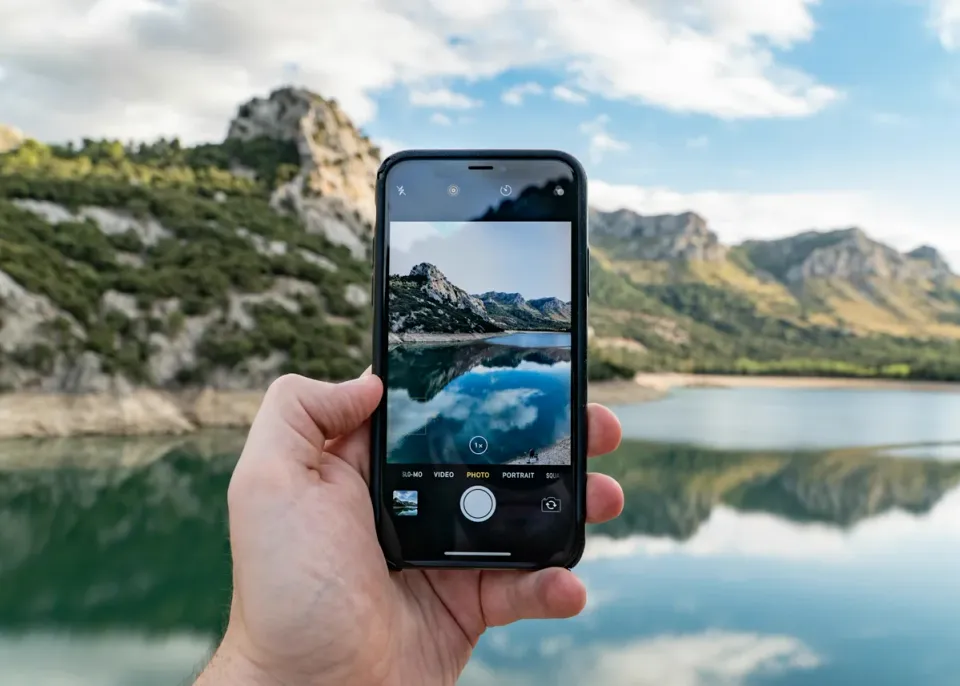
Heart the keepers in Photos.
Pick with the heart you already use. Sappari reads your favorites from the library, so there is nothing new to learn and nothing to sort by hand.
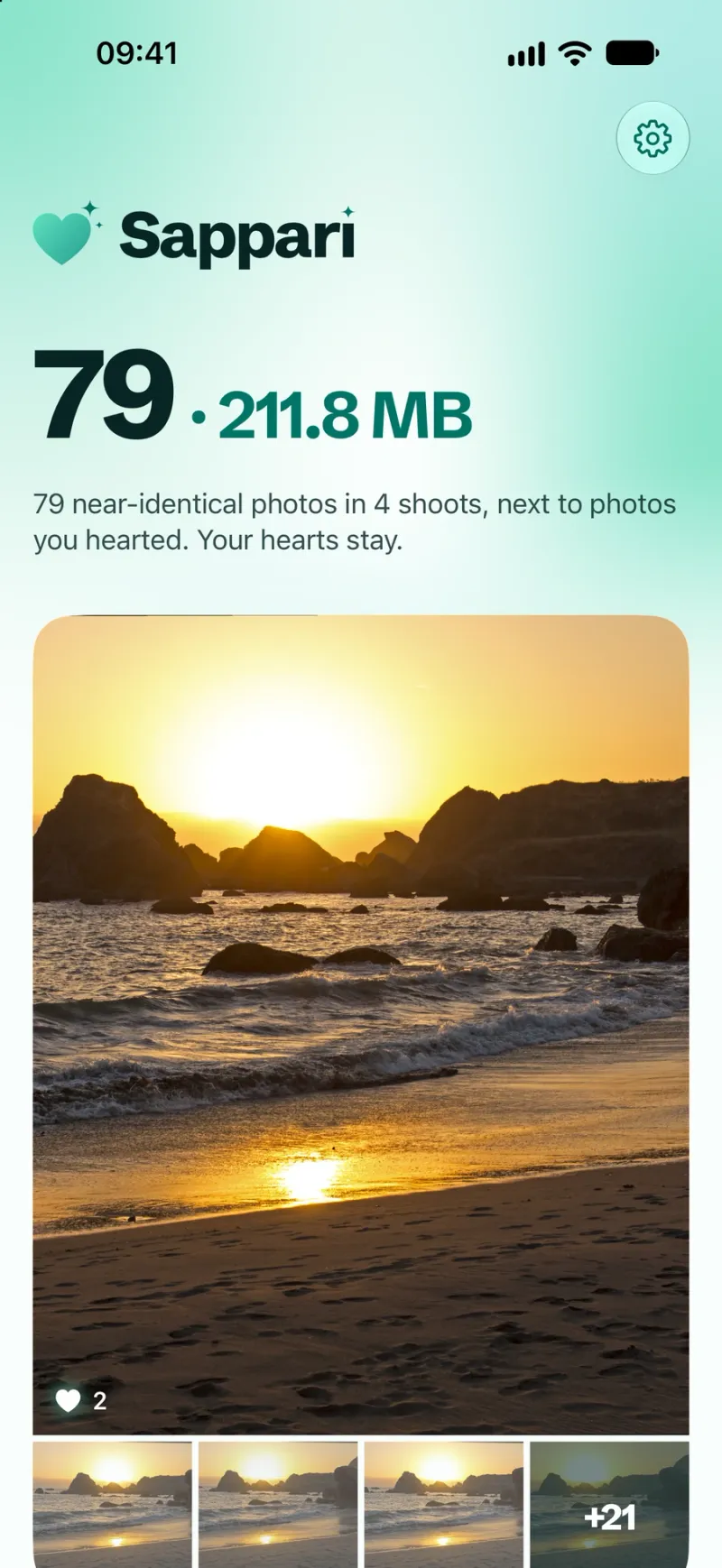
Look over what it found.
Only frames that closely match a hearted photo are suggested. Edited, hidden and shared photos, and anything in an album, never are. Tap a frame to keep it too.
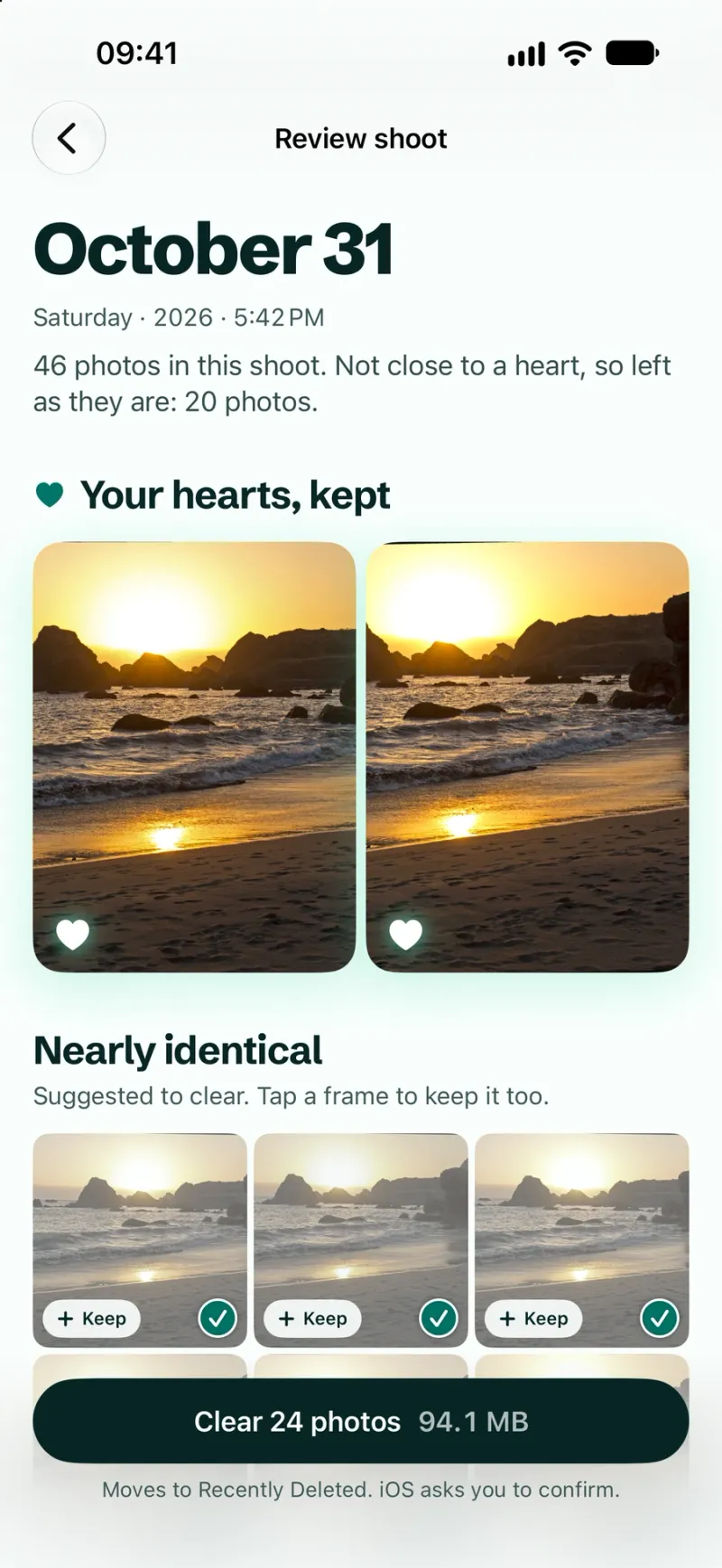
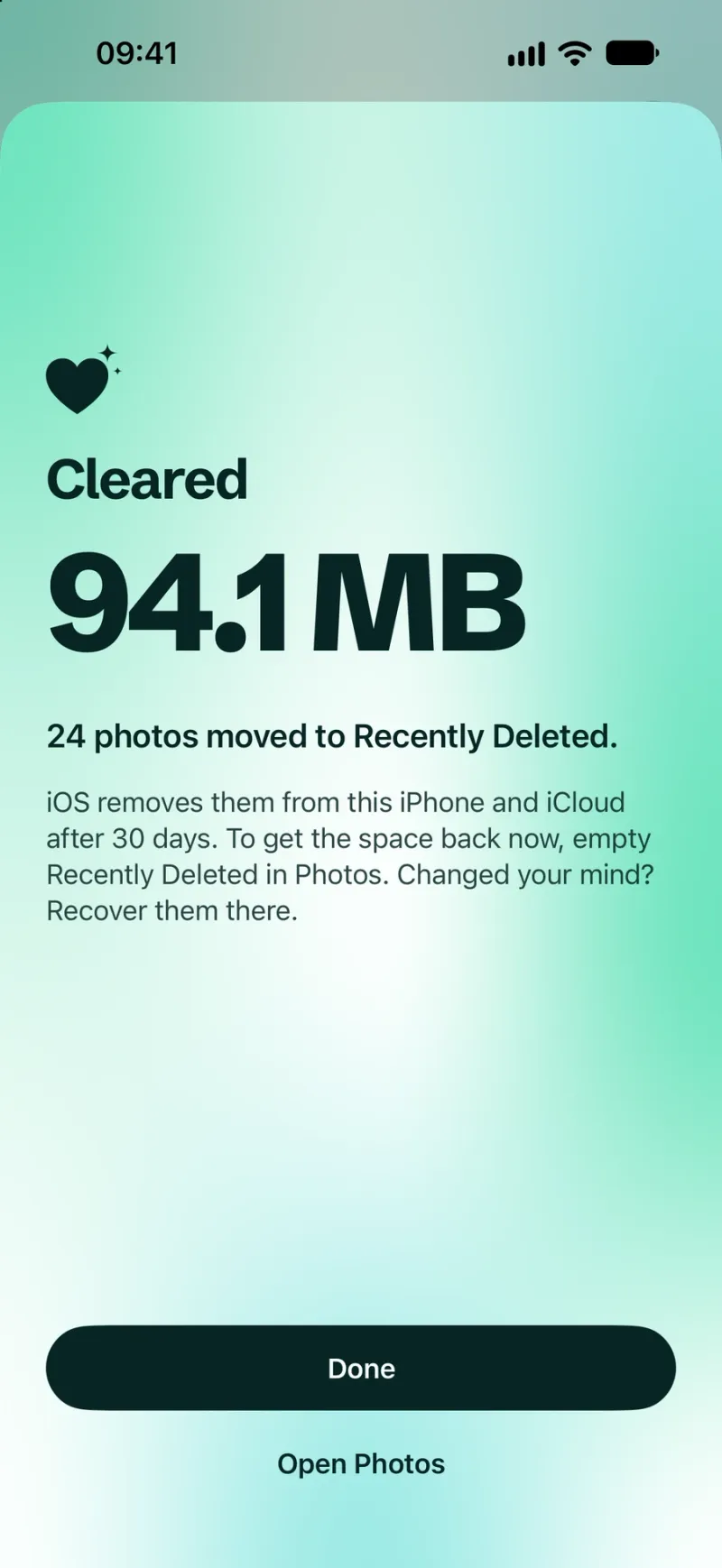
Delete once. Undo for 30 days.
iOS asks you to confirm the whole batch in one prompt. Everything lands in Recently Deleted, where you can recover it for 30 days. With iCloud Photos, the delete reaches your other devices too.


And the rest of the library
Every kind gets its own list, and nothing goes until you've looked. Blurry and pocket shots, Live Photos and images saved from chats have theirs too.
Screenshots you're done with
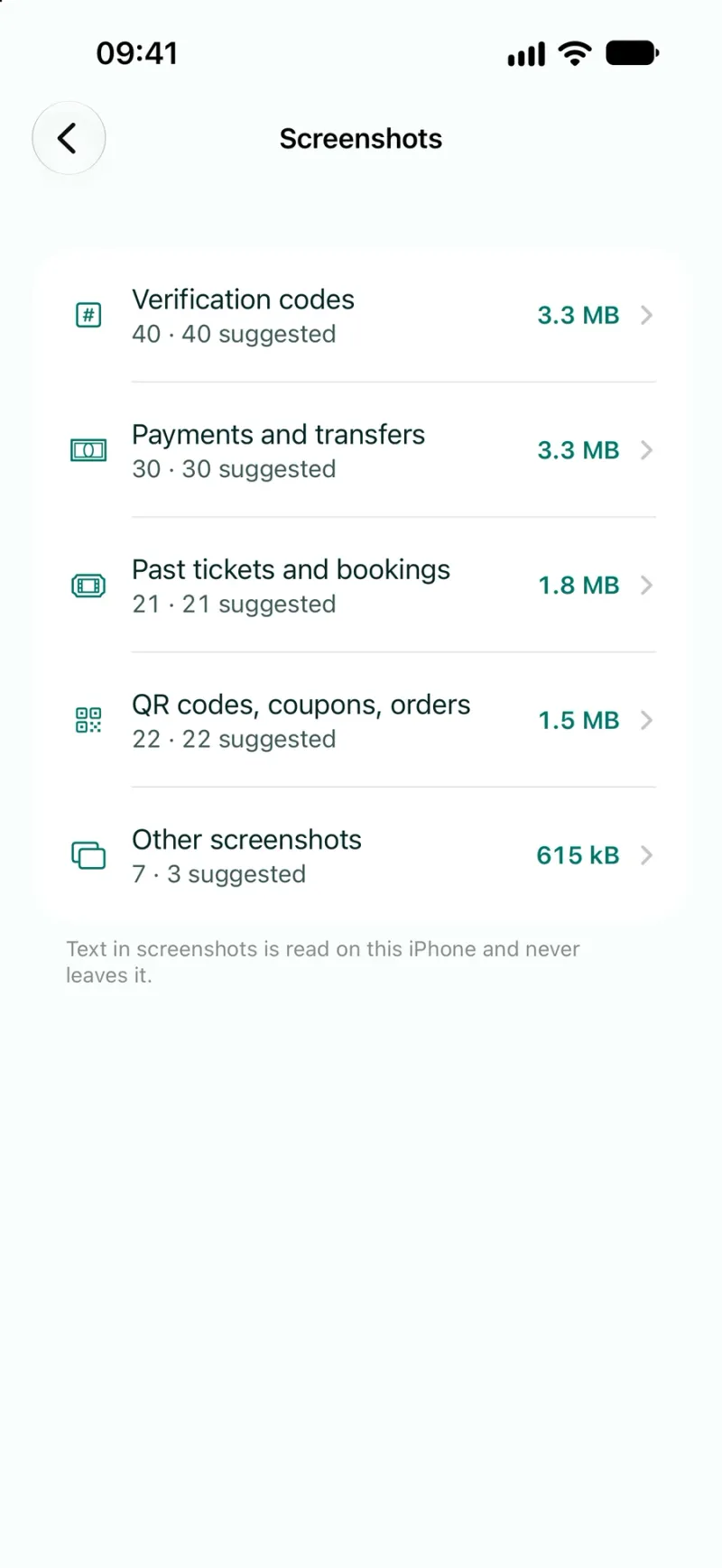
Verification codes, payments, past tickets, coupons. Each kind in its own list, with its size.
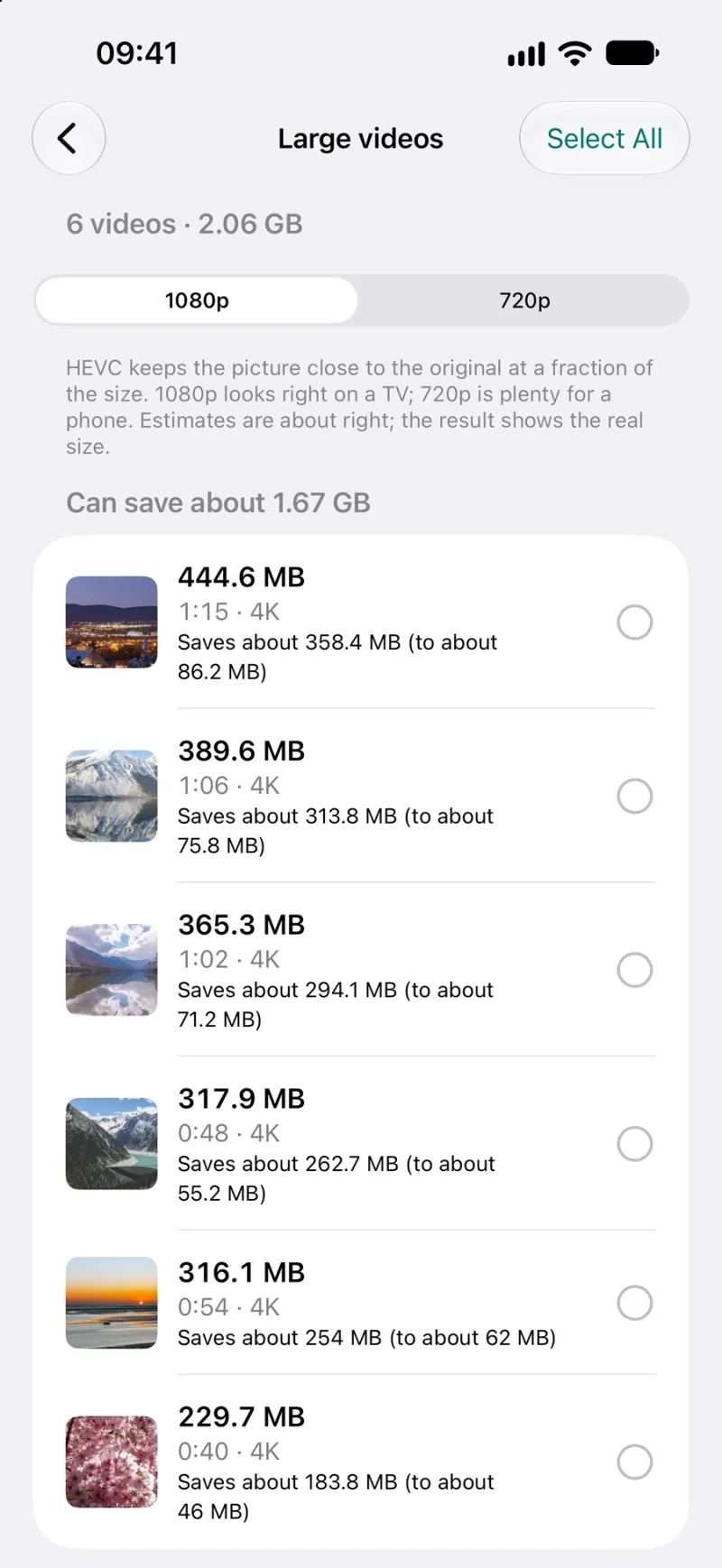
Large videos, shrunk
HEVC at 1080p or 720p. Date and place kept.
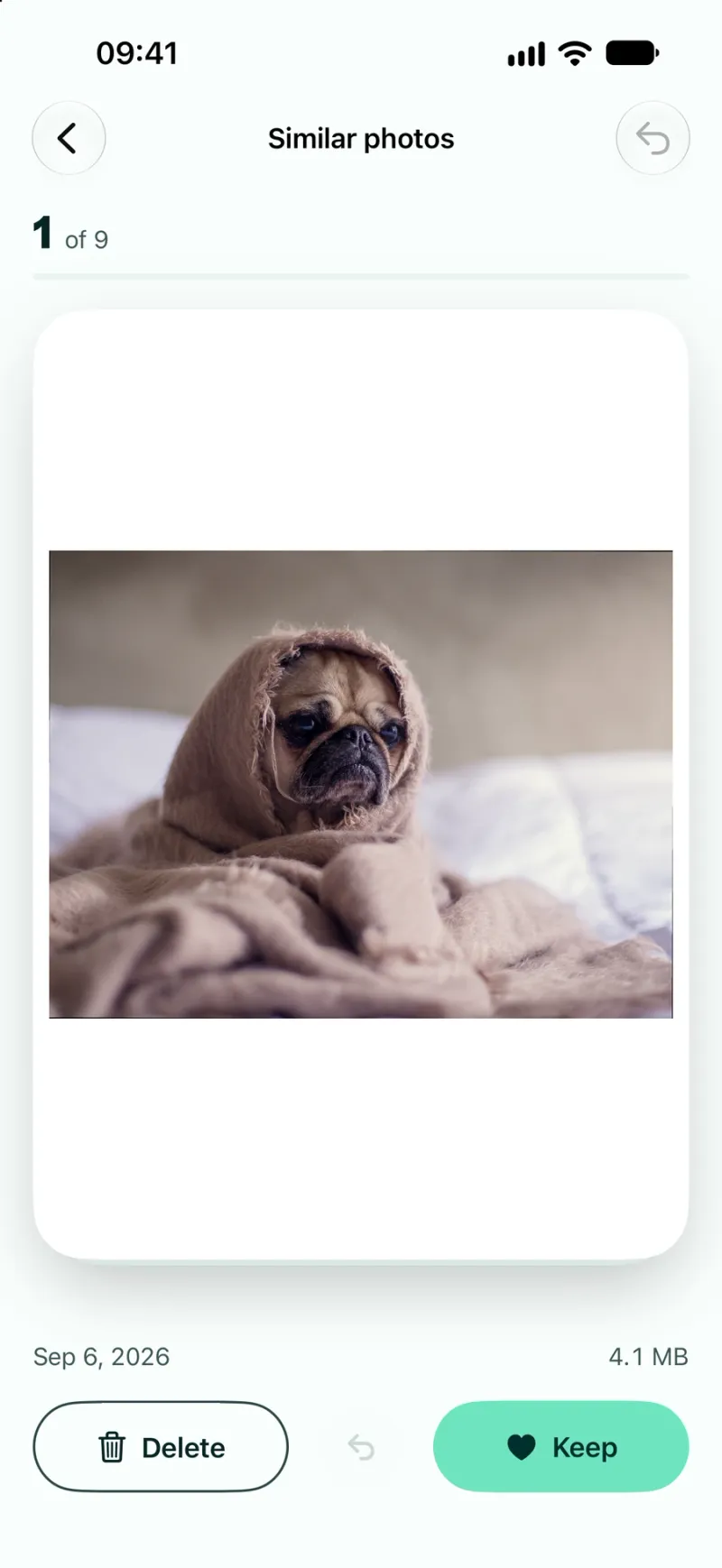
Swipe through the rest
Keep or delete one photo at a time. Undo is one tap.
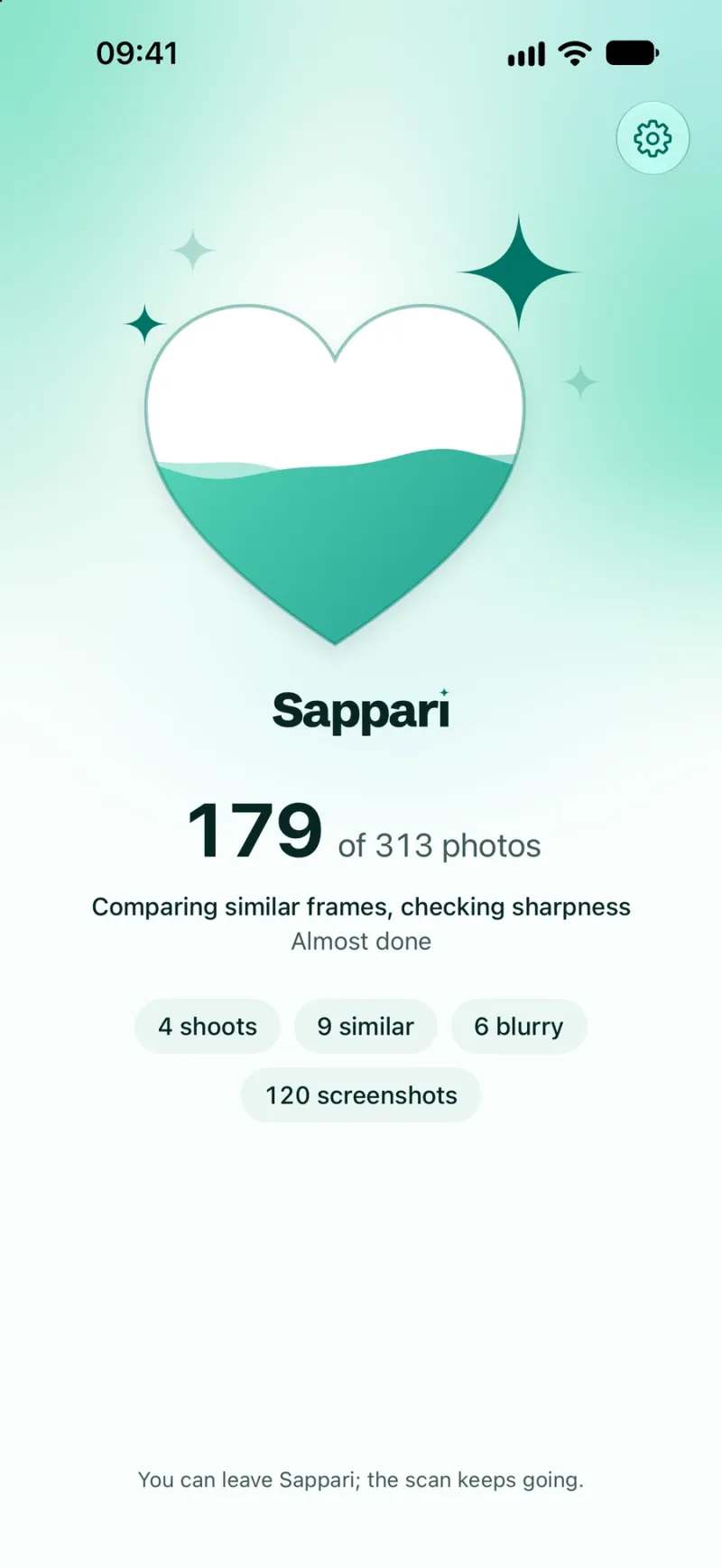
A first scan that stays on the phone
Read from the thumbnails already on your iPhone. Nothing is uploaded.


Light or dark, like your iPhone
Sappari follows your iPhone's appearance. Big photos and exact figures, by day or late at night, and every number is measured from your own library.
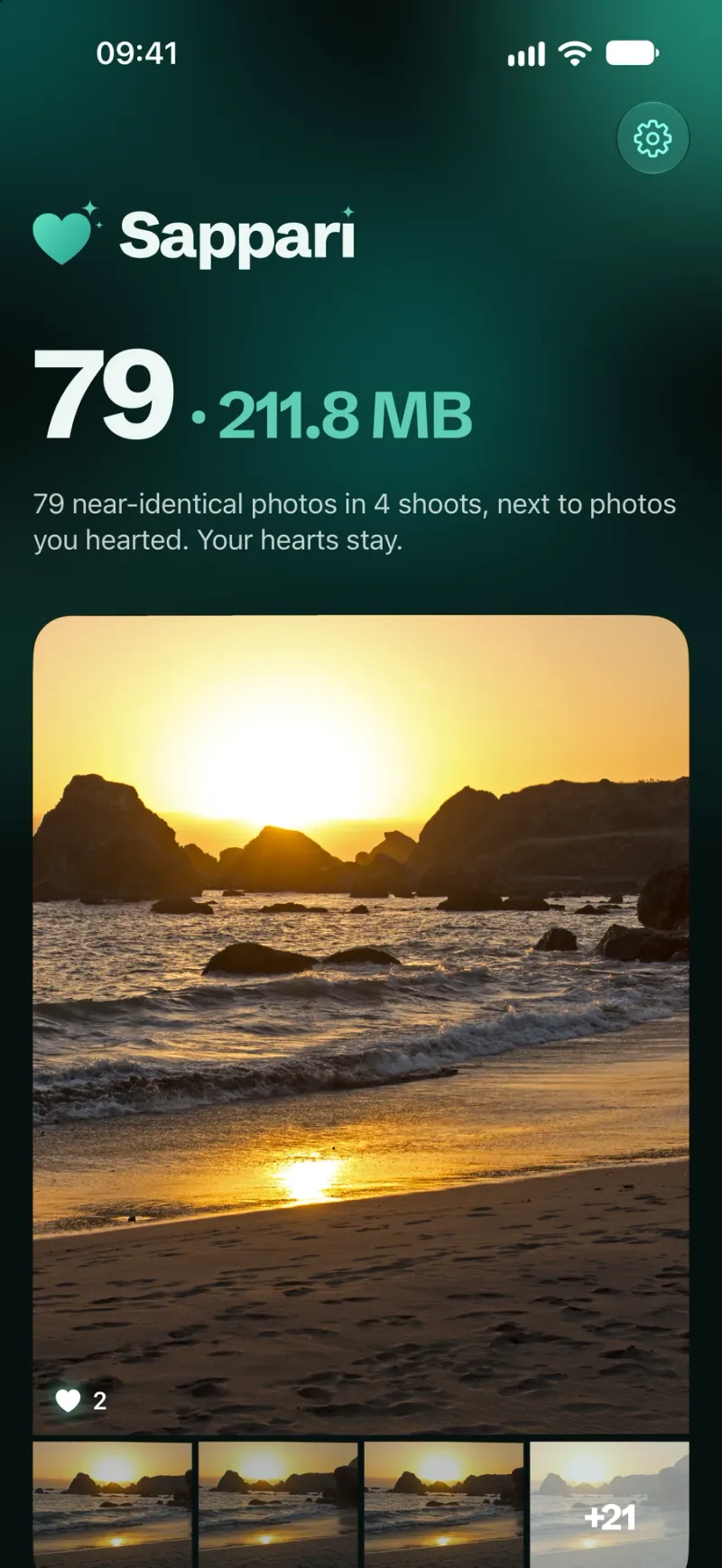
Home: what can go, and what it weighs 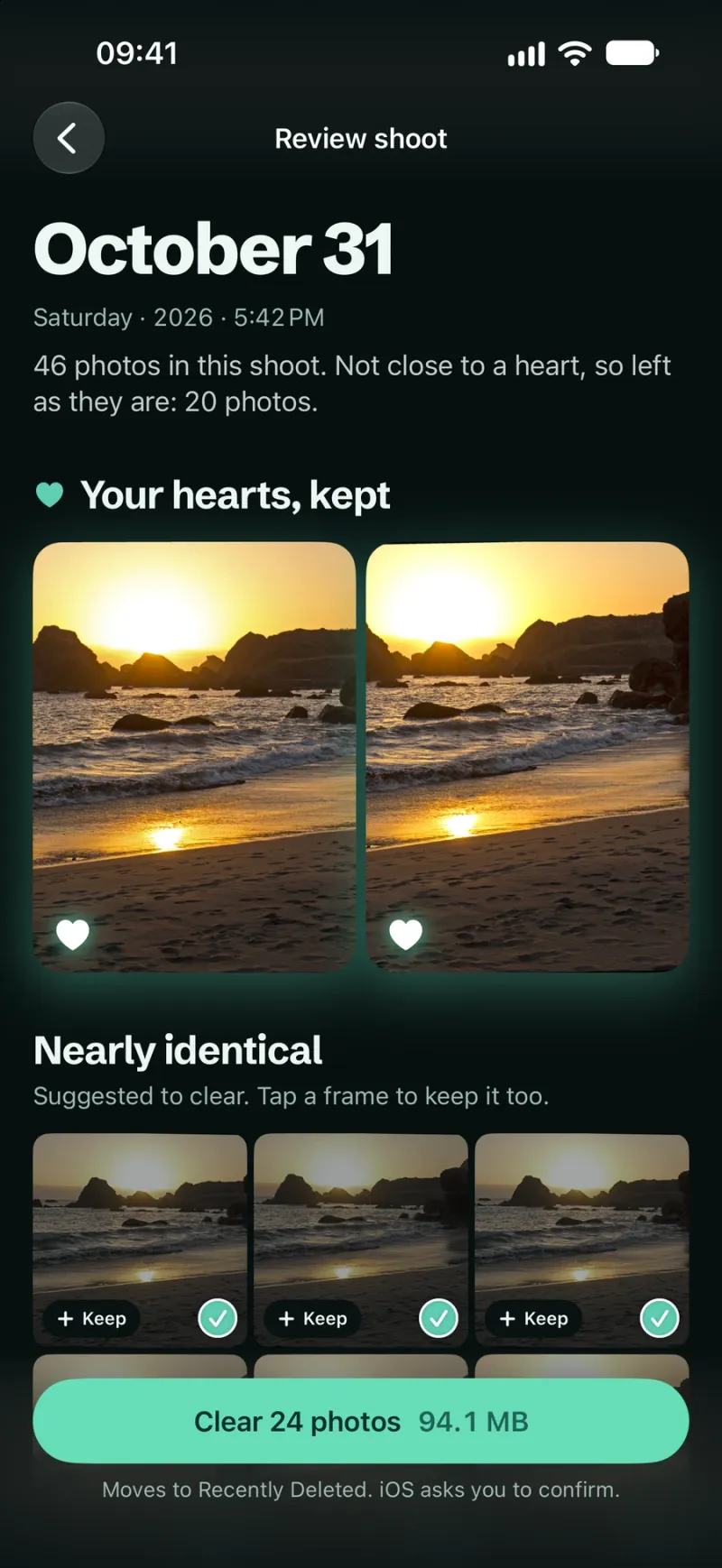
A shoot: your hearts first, then the near-identical rest 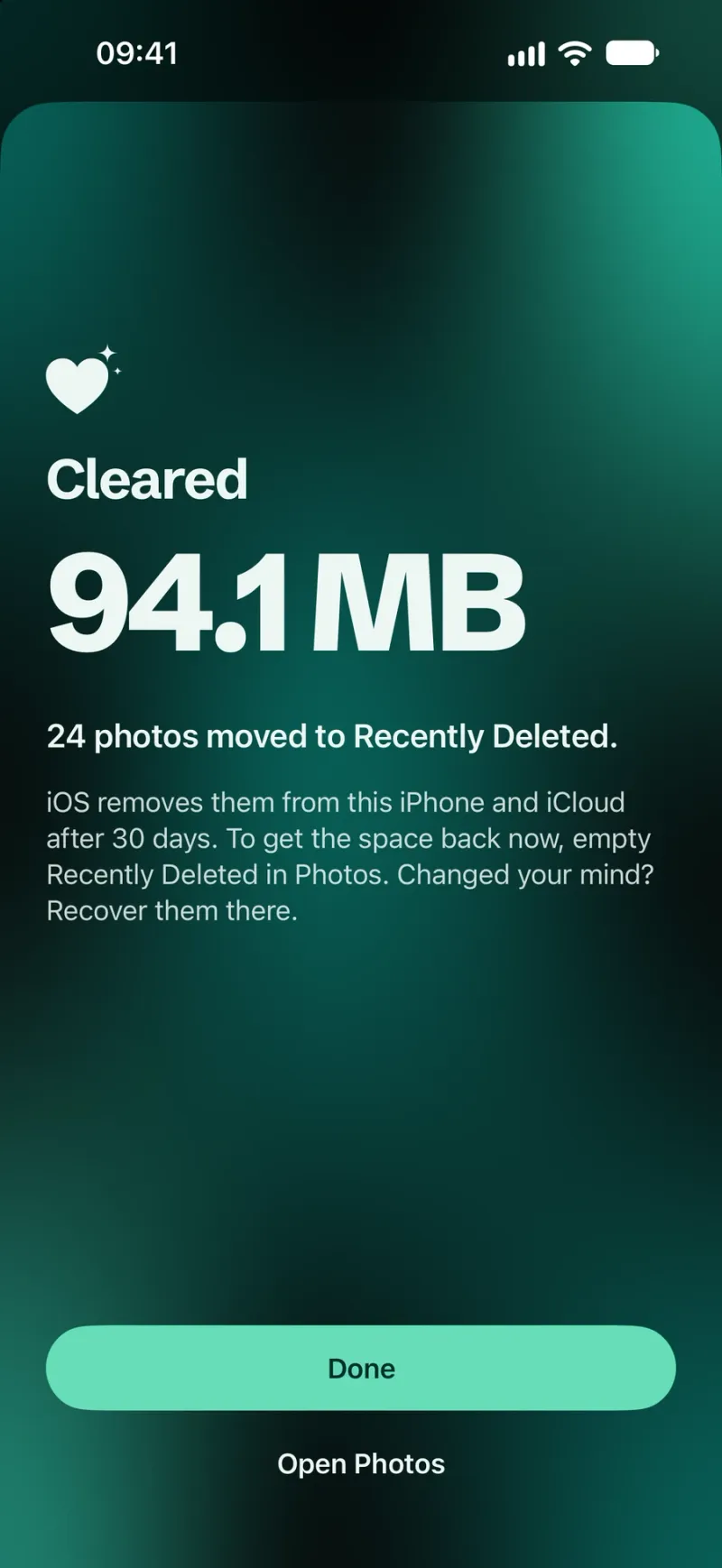
Cleared, with 30 days to change your mind 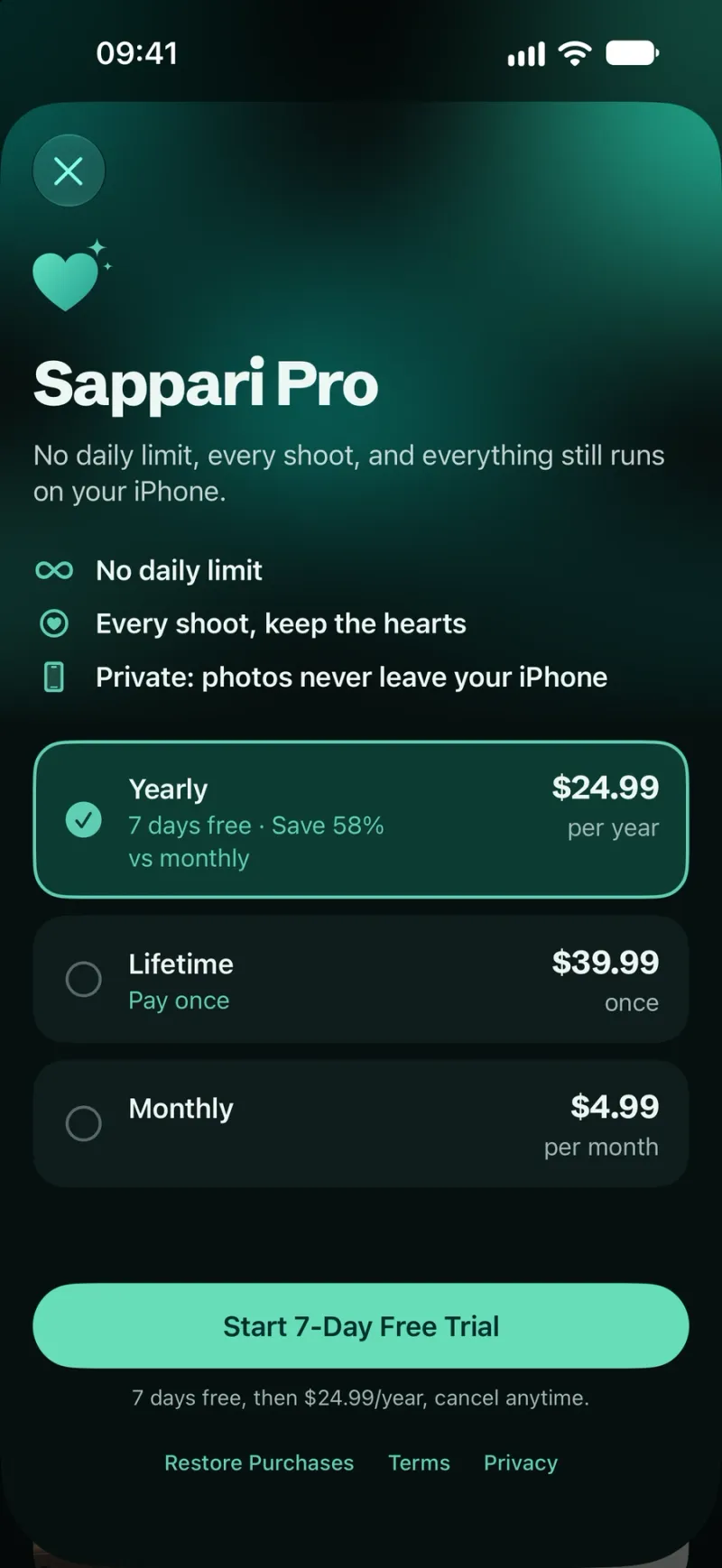
Sappari Pro, every price stated plainly


Your photos stay on your iPhone
Read the privacy policy. It's short.
Scanned on the iPhone
From the thumbnails already there.
No account
We never ask who you are.
Nothing deleted without your yes
And 30 days to change your mind.
Free to scan. Pro to clear it all.
No weekly plan and no ads. Ever.
Free
$0
No card needed
- Full scan and every number
- 50 deletions a day
- One free shoot cleanup
Pro monthly
$4.99/ month
Cancel any time
- No daily limit
- Every shoot cleanup
- Renews monthly
Pro yearly
7-day free trial$24.99/ year
About $2.08 a month
- No daily limit
- Every shoot cleanup
- 7 days free first
Pro lifetime
$39.99once
Pay once, keep it
- No daily limit
- Every shoot cleanup
- No subscription
Coming soon to the App Store
iPhone photo and storage guides
Plain steps for a full iPhone, duplicate photos and iCloud storage, starting with Apple's own tools.
iPhone storage full? Start with Apple's free tools in Settings, then clear chat attachments, near-identical photos and Recently Deleted.
Merge exact copies for free in Photos › Utilities › Duplicates. Then handle similar photos and bursts, which Apple's Duplicates album never shows.
When iCloud storage is full, backups and photo uploads stop. See what fills your plan, what's safe to delete, and when a bigger plan is the better fix.


Questions, answered
More on purchases and recovering photos on the support page.
Only the keepers left
Sappari is being tested now. Write to us if you want to hear the day it reaches the App Store.
Coming soon to the App Store
Email team@sappari.photos
